How to Block Websites
on Your Phone.
Stop manually entering URLs into basic blockers. SafeScroll uses on-device AI to automatically detect and block adult websites on Chrome, Safari, and inside every app — all for free.
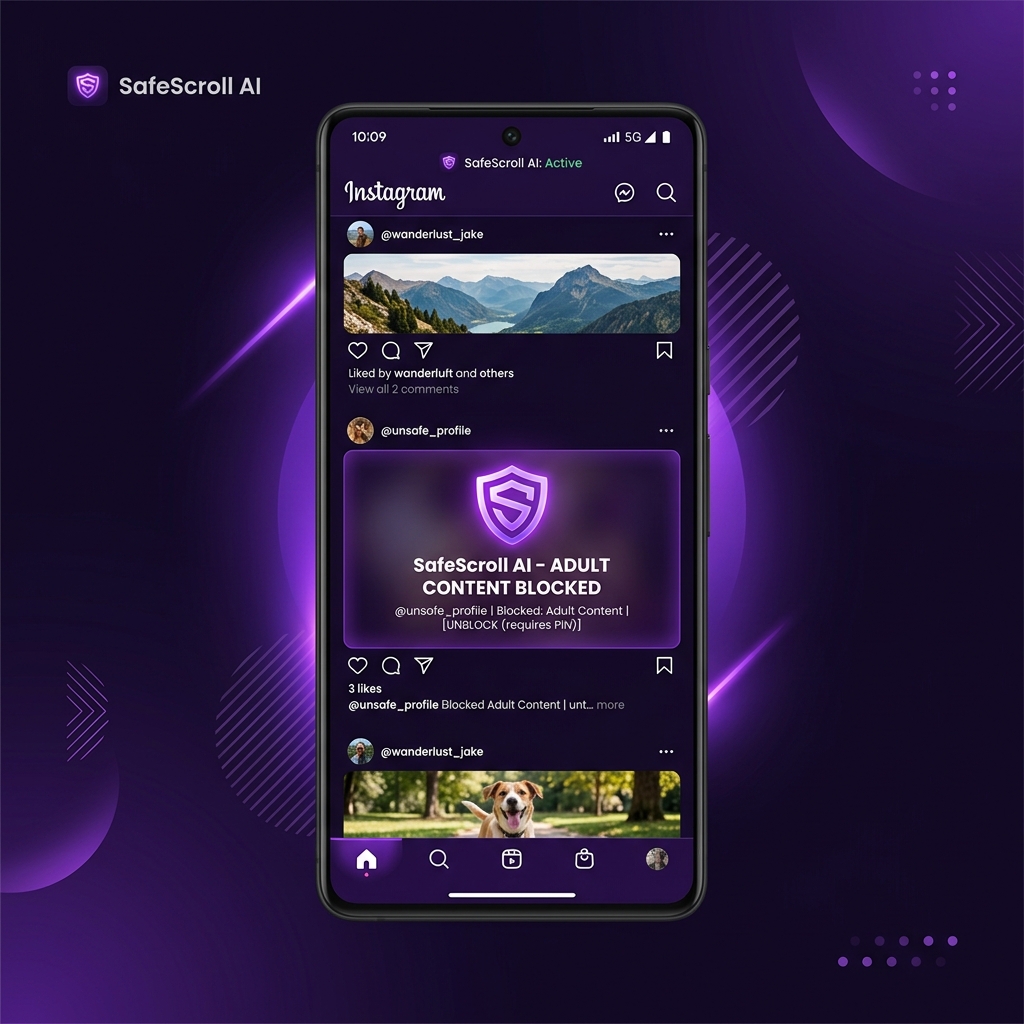

Website Blocker Guide
The Simplest Way to Block Websites on Android & iPhone
If you search for "how to block websites on your phone", most guides tell you to configure complex DNS settings, use unreliable browser extensions, or manually type every URL you want to avoid into a blacklist.
SafeScroll makes this effortless. By using on-device visual AI, it instantly knows when you've landed on an adult website and blocks the content before you see it — without you having to configure a single setting.
- No manual URL entry — the AI detects NSFW websites automatically.
- Works everywhere — Chrome, Safari, inside Reddit, Twitter, and more.
- Private and offline — works directly on your phone with zero data sent to servers.
Got Questions?
FAQs — Blocking Websites
Instead of manually blacklisting individual websites, SafeScroll automatically blocks all adult and NSFW websites visually using AI. You don't need to configure long lists of domains.
The easiest way is to use a screen-level AI blocker like SafeScroll. It takes 60 seconds to activate and works across all browsers (Chrome, Safari) without needing complex network setups like DNS.
Yes! Unlike traditional website blockers, SafeScroll watches your screen, meaning it blocks inappropriate content even if it's loaded inside an app like Reddit, Twitter, or Instagram.
Start Blocking Websites Today
Skip the complicated setups. SafeScroll's AI blocks adult websites across every app and browser on your phone.